YouTube ad blocking
ClearBlock helps block video ads while you watch YouTube. This is part of the free extension.

Free ad blocker for Chrome & Edge
ClearBlock helps block YouTube video ads, intrusive website ads and online trackers. Hide matched ad spaces and choose which sites to allow from the toolbar.
YouTube ad coverage can vary by video and as YouTube changes.
Included for free
ClearBlock helps block video ads while you watch YouTube. This is part of the free extension.
EasyList-based rules block matching advertising requests as you browse.
EasyPrivacy-based rules block matching tracking requests in your browser.
Hide supported ad elements and the blank spaces they can leave behind. Find the setting in the toolbar popup or Options.
Use Don’t block this site to allow the current site, or pause protection across all websites.
View recorded blocked requests for the current page and your saved total. The counter tracks network requests. Hidden ad spaces do not increase the total.
Optional Premium tools
Choose which tools to enable for popups, autoplay, cookie banners and other browsing distractions.
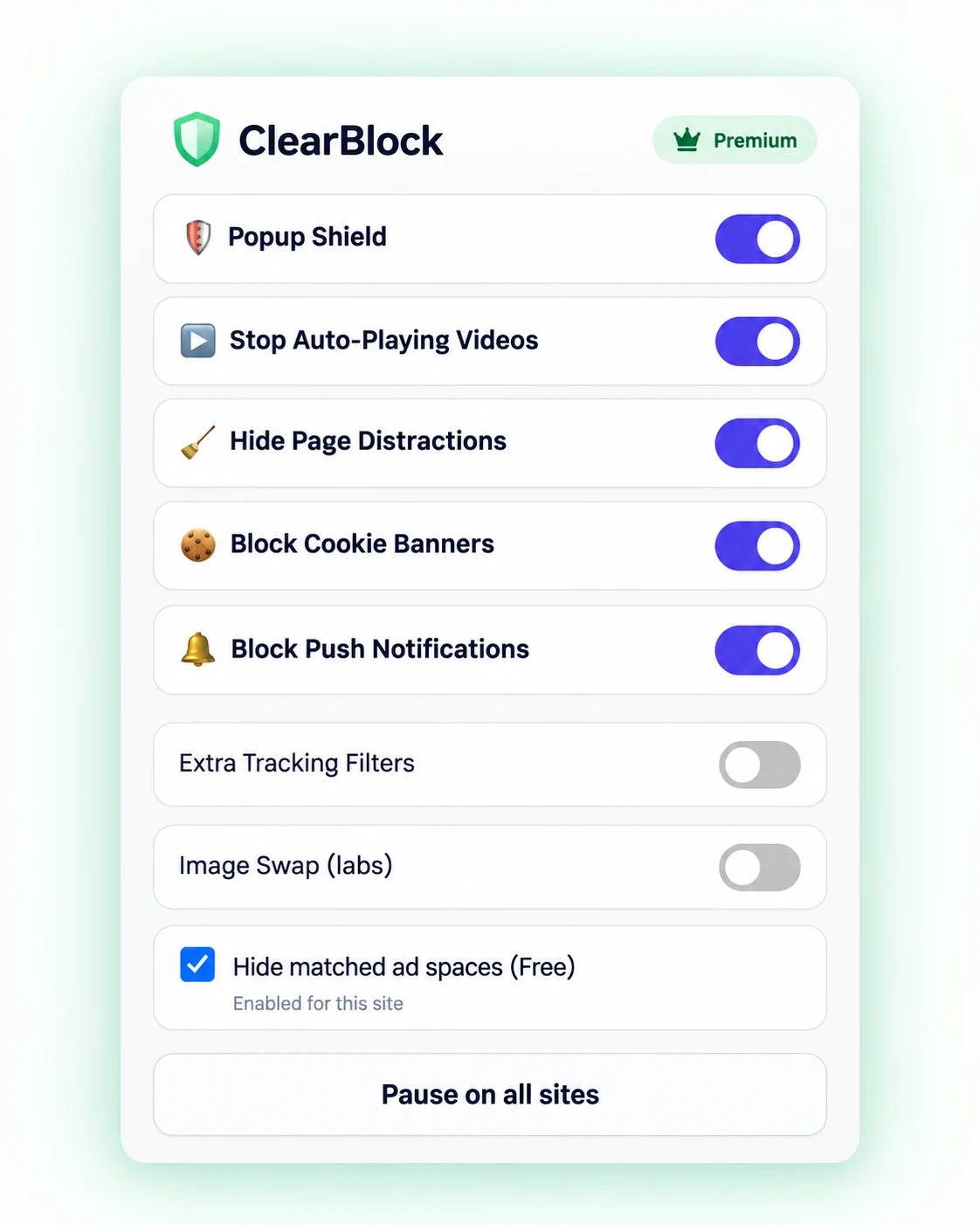
Helps stop supported scripts from opening unwanted windows or tabs. Intercepted attempts are counted separately.
Stops automatic playback on supported players while keeping the Play control available.
Helps hide supported newsletter prompts, widgets and floating video players.
Blocks supported new requests for notification permission. Manage existing permissions in your browser.
Adds optional rules for more tracking domains and related annoyances.
Choose how ClearBlock handles supported consent banners in Options.
ClearBlock uses access to HTTP and HTTPS sites to apply network rules and page controls. Your browser stores preferences, and some settings can sync through your browser account.
Premium activation and licence checks connect to ClearBlock’s server. ClearBlock is developed by Adwizz Ltd. Read the privacy policy for details.
Yes. ClearBlock Free helps block YouTube video ads. Coverage varies by video and as YouTube changes its player and advertising.
Website ad and tracker filtering, matched ad-space hiding, blocking activity and per-site controls are included in ClearBlock Free.
Check the cookie activity in Options. ClearBlock labels attempts as unverified when it can’t confirm the saved choice.
Use Don’t block this site or pause blocking and reload. If you’re using Premium, you can also turn off a feature individually. Send the page address and a description to Support if the issue persists.
Install ClearBlock free from your browser’s store.