
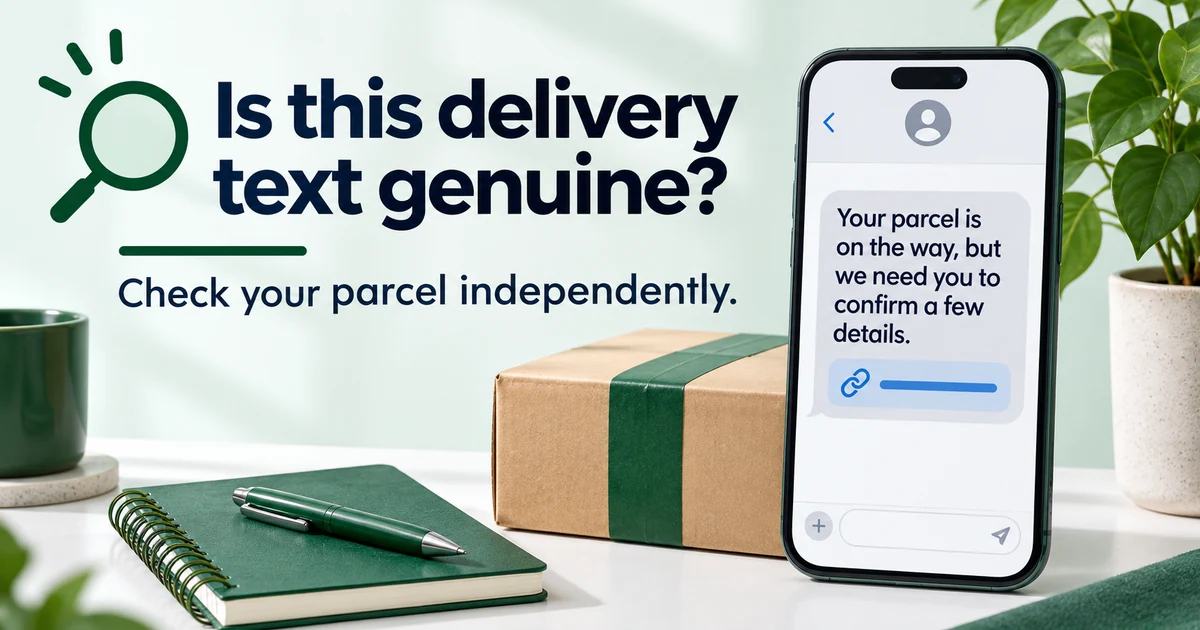
A text says your parcel could not be delivered. It asks you to confirm an address, pay a small charge or install a tracking application. You are expecting an order, so the timing feels convincing. Before following the link, check the delivery independently. Expecting a parcel does not establish that this particular message came from its courier.
Delivery scams exploit an ordinary task: checking where an order has reached. This guide explains how to assess a message without using its instructions as your source of truth, and what to do if you already clicked, shared details or installed something.
Why parcel messages are persuasive
Many people have deliveries in progress, especially around holidays and sales. A broadly sent message can therefore reach someone at a believable moment without the sender knowing anything about their actual order.
A delivery problem also creates a practical worry: will the item be returned, delayed or left somewhere unsafe? A deadline and a modest-looking fee can make acting immediately feel easier than checking.
Recognise that pressure without blaming yourself for noticing it. The useful response is to slow the interaction down and choose a source of information independently.
Do not let the message verify itself
A link supplied by a suspicious text cannot independently prove that the text is genuine. The same sender can control the message, the page it opens and the support chat offered there.
Instead, open the retailer’s account through its known website or app and inspect the order. Find the courier and tracking reference from a source you already trust, such as the original order details.
Then open the courier’s official service independently. If its tracking information shows no matching request, do not return to the text merely because it looks urgent. Contact the retailer or courier through its verified support route if clarification is needed.
Check the actual order
Start with what you know you purchased. Which retailer, what approximate dispatch date and which delivery service were named? A vague message about “your package” contains little information that connects it to a real transaction.
A reference number is useful only when checked against an independent record. Random-looking strings and realistic formatting are easy to include in a message. Do not assume the presence of a code establishes authenticity.
If someone else ordered the parcel for you, ask them through your usual contact route. Avoid supplying additional personal details to the message sender to help them “find” an order that you cannot identify.
Read the destination, not just the branding
A webpage can copy a courier’s colours, logo and forms. Check the actual hostname in the address bar rather than treating the design as proof. A brand name embedded in a longer address is not enough.
Shortened links and unfamiliar domains deserve caution because they make the destination harder to assess. Even a plausible-looking address should be checked through the independently opened courier service.
HTTPS is also not a sender identity check. Our guide to HTTPS and browser privacy explains why an encrypted connection can still lead to a deceptive recipient.
A familiar sender label is not enough
Treat the displayed name or number as a clue rather than a complete authentication method. The safest decision should not depend entirely on whether the message looks as though it belongs beside previous delivery updates.
Likewise, a message knowing your name or part of an address does not automatically settle the question. Consider whether the requested action matches the order and whether the official account shows the same issue.
Do not reply with more details as a test. An independent check can establish the delivery status without turning the suspicious conversation into a source of further information about you.
Unexpected payment requests need a pause
A small charge can still expose payment details or authorise a transaction you do not understand. Judge the request by its source and purpose, not only by the amount shown.
Delivery companies can have different arrangements for customs, postage and services. Avoid blanket assumptions that every delivery-related charge is fake. Verify the exact request through the named courier’s official information.
Royal Mail’s scam guidance, for example, distinguishes its communications and fee processes. Check the current rules for the actual carrier rather than applying one company’s policy to all deliveries.
At a payment screen, read the amount, currency and recipient. Do not approve an unrelated banking prompt because the page calls it an address check or says the transaction is only temporary.
Address correction can also be a trap
A message may request your name, telephone number and full address before asking for payment. The first screen can appear harmless because those details seem relevant to delivery.
Ask whether the official order page actually needs a correction. If it does, make the change through the retailer or courier route you opened independently. You do not need to complete the text’s form to compare the two.
Be particularly careful when each completed screen reveals another requirement. An address correction becoming a card verification and then an app installation is a changing task, not proof that you should continue.
Do not install an app from an unexpected tracking link
The NCSC has documented missed-parcel messages that promote malicious tracking apps. An instruction to install software should therefore be treated as a separate trust decision.
If you want a courier’s application, find its official installation route independently and check the publisher. Do not disable device protections or grant unusual access merely because a delivery page says it is necessary.
Our guide to misleading extension installations covers a related browser pattern. The general principle is the same: verify the tool and purpose before giving software access.
What if you clicked but entered nothing?
Close the destination and stop following its instructions. A click alone does not establish that a payment occurred, credentials were disclosed or software was installed. Review what actually happened rather than assuming every possible outcome.
Check for a download or permission request you accepted. If a file merely downloaded, do not open it to investigate. Use trusted device guidance if you are uncertain about what was installed or executed.
Then check the parcel independently. The suspicious message does not become more reliable because you have already opened it once.
If you entered card details or paid
Contact your bank or payment provider promptly through its official app or another known route. Explain what you entered and whether you approved a transaction. Ask it to advise on securing the card or account and the relevant dispute process.
Do not use a telephone number supplied by the suspicious page or wait for its promised refund. A caller who contacts you afterwards claiming to be bank security also needs independent verification.
Keep the message, website address and transaction references for the provider. Do not publish card details or banking screenshots while seeking help. Recovery options depend on the circumstances, so avoid promises that a particular payment is automatically refundable.
If you entered an account password
Open the genuine service independently and change the exposed password through its own controls. If you reused it elsewhere, change those accounts too. Review security activity and active sessions where available.
Use a trusted device if you believe the phone has also had malicious software installed. Do not type new credentials into the same suspicious page as a supposed reset procedure.
A delivery-related password request should also prompt a purpose check. A courier tracking task does not explain why an unrelated email or banking account password is needed.
If you installed unexpected software
Stop using the affected device for sensitive logins and obtain device-specific guidance from the manufacturer or a trusted security support source. Tell them what you installed and how it was obtained.
Do not assume deleting an icon is a complete remedy. Some situations require more substantial recovery, and a reset can erase personal information. Follow appropriate guidance rather than improvising broad changes.
The NCSC’s parcel-malware guidance provides further response information. This is a different situation from merely receiving a text, so make the distinction clear when asking for help.
Report the suspicious message
In the UK, suspicious texts can be forwarded to 7726 through the mobile operator’s reporting process. The NCSC’s guidance explains this route. For other countries, use the relevant operator or official reporting service.
You can also use the impersonated courier’s official reporting instructions. Royal Mail publishes examples of delivery scams and advice on checking independently.
Reporting the text is separate from contacting a bank about exposed payment information. Do both when relevant. A spam report alone does not secure a card or open a payment dispute.
Where ClearBlock fits
ClearBlock blocks matching advertising and tracking requests in supported browser use, including YouTube ads. Its optional Premium controls address supported distractions. It does not authenticate delivery texts or certify a courier payment request.
A cleaner page still needs an identity check. Use independent order and courier information before entering details, even if no advertising or popup is visible.
A quick delivery-message checklist
- Pause before opening the link or paying a fee.
- Check your order through the retailer’s known account or app.
- Open the named courier independently and compare the tracking information.
- Verify any charge or address request through that official route.
- Decline unexpected software installations and unrelated login requests.
- If information was exposed, contact the relevant provider promptly.
For example, a text may arrive while you are waiting for a birthday gift. That coincidence makes the request plausible, but the order page and courier’s independently opened tracking service provide better evidence. Check those before treating the text as part of the delivery.
Frequently asked questions
Is every parcel fee message a scam?
No. Carrier processes differ. Verify the particular charge through the official courier service rather than paying through the unexpected message.
Does knowing my name prove the text is genuine?
No. Personal details are not a complete identity check. Compare the request with independently obtained order information.
Can I ignore it if I am not expecting anything?
Do not follow its link to find out. If needed, check with the retailer or person who may have sent something through your usual contact route.
Will an ad blocker protect my payment details here?
Do not rely on filtering to verify the recipient. Check the website and request before submitting information.
Explore more Online Scams & Website Safety guides for practical checks before following unexpected requests.