
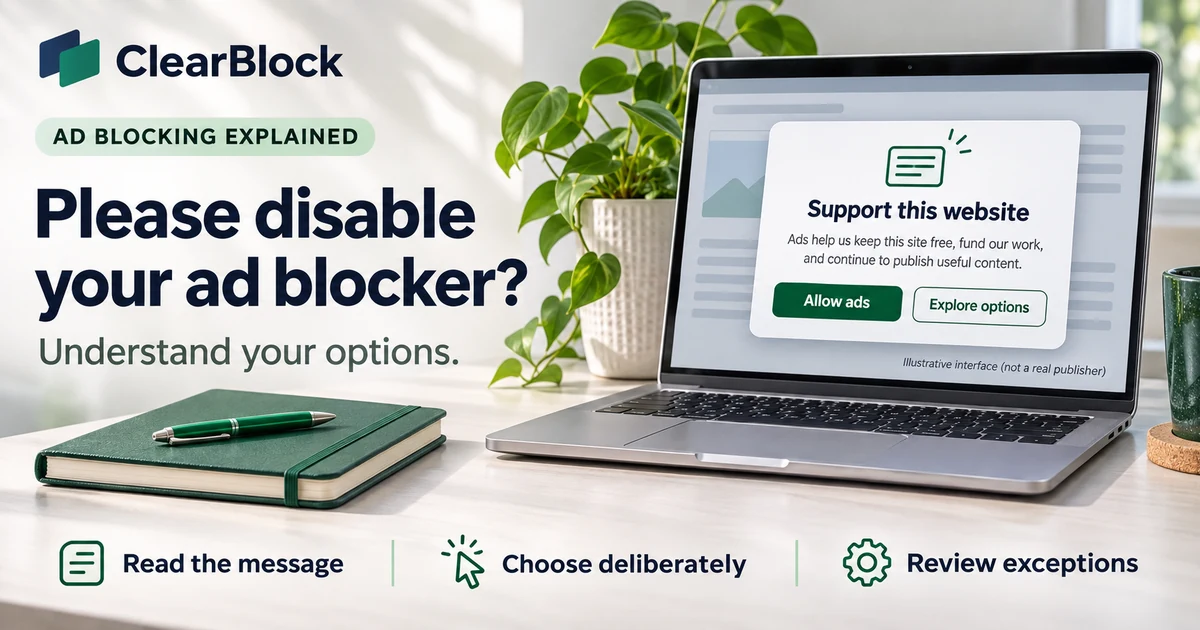
A message asking you to disable your ad blocker usually means a website wants advertising to load, often to support its publishing costs. It may offer a site allowance, a subscription or another way to continue. Read the choices before changing anything: you do not need to disable blocking across your entire browser simply because one website asks.
This guide explains what these messages mean, why they can remain after a settings change and how to make an intentional choice. It focuses on ordinary website controls and troubleshooting, rather than promising to bypass access restrictions or remove every publisher message.
Why publishers ask visitors to allow ads
Advertising is one way a publisher funds its work. When visitors block advertising resources, the publisher may ask them to allow those resources or choose another support option. Google's documentation describes ad blocking recovery messages for exactly this purpose, including an optional alternative such as a subscription.
That explains the business reason for the request, but it does not decide your preference for you. You may value the content enough to allow ads, prefer an offered subscription or decide to leave. Read what the site actually offers instead of assuming every message has the same terms.
A request is also different from a technical error. The website might be working as its publisher intended while asking for a different access choice. Treat the message as information about that site's policy before treating it as a defect in your browser.
Recognise the type of message
Some notices are reminders you can dismiss while continuing to read. Others cover the page until you choose an available option. A separate subscription wall may require paid access regardless of whether advertising is allowed. These situations can look similar but have different outcomes.
Look for the exact wording and available actions. A message labelled Support our work is not necessarily a cookie consent request, and an account sign-in panel is not necessarily an ad blocker detector. Identifying the panel helps avoid changing an unrelated setting.
If the site offers an explanation or help link, read it through the site's normal navigation. Do not assume that a button labelled Continue grants an ad-free subscription or expresses a privacy choice. Check what will happen before selecting it.
What detection does—and does not—establish
A website can infer that expected advertising behaviour is unavailable, but a displayed message is not a complete inventory of your installed extensions. Do not assume that the publisher knows every detail of your browser simply because it shows an ad blocking notice.
Likewise, the notice alone does not prove that one particular extension caused the result. Other browser protections, overlapping tools or failed resources can complicate an individual case. A careful comparison is more useful than repeatedly changing unrelated settings.
If you want to investigate, record the actual message and the page where it appears. Distinguish a repeatable result from a one-off visit. Avoid drawing broad conclusions about all websites or all blocking software from one publisher's implementation.
Your first option: keep your current preference
You can choose not to change your blocking setup. If the publisher provides a legitimate dismiss or continue option, use it according to the choices offered. If access remains restricted, consider another source for the information rather than installing an unfamiliar tool promising to unlock it.
Keeping a preference is not a guarantee that the publisher must make the content available through that configuration. Both your browsing choice and the site's access design affect the result. A useful decision acknowledges the restriction instead of assuming the extension can always make it disappear.
Be particularly cautious of a separate advertisement offering an anti-adblock repair download. A website access message is not a reason to install an unknown extension, run a command or disable browser security warnings.
Your second option: allow ads on that website
If you intentionally want to support the publisher through advertising, use your blocker's site-specific allowance. That is a narrower choice than globally pausing the extension. Save unfinished work before changing the setting because the current page may reload.
Check the hostname in the address bar. An exception normally has a defined site scope; it is not automatically a rule for one paragraph or one article path. Read the blocker's controls so you understand whether the saved hostname also covers subdomains.
Return to the same page after making the change and read the result. Allowing a website is not a promise that an advertisement will visibly appear on every visit. The page's content, other tools and browser settings can still affect what loads.
Your third option: review the publisher's alternative
A site may offer a subscription, membership or another support route. Check the terms directly with that publisher, including what access is included and whether its offer actually removes advertising. Do not infer those details from a generic label such as Premium.
If you already subscribe, use the site's own sign-in or subscriber recognition process. An ad blocking exception is not a replacement for authenticating an existing membership. Contact the publisher if your account should have access but the site does not recognise it.
A website subscription and a browser extension subscription are also separate products. Paying for one does not automatically purchase the other. An extension's optional features should not be described as a pass to subscription content on independent websites.
Why the message may remain after allowing the site
Start by checking that the change applied to the actual hostname now open. A redirect may have moved you from one address to another. An allowance in a different browser profile or a separate browser installation may not describe the tab you are testing.
Then check overlapping tools. Another ad blocker, browser setting or network filter can continue affecting requests after you allow the site in one extension. Do not assume your first change was ignored simply because the page still displays a message.
Finally, reload safely and try the website's own retry or recognition action if it provides one. The page may not update an already displayed panel immediately. If the notice persists, explain the steps to the publisher or extension support rather than adding a long speculative exception list.
Use a focused troubleshooting sequence
- Read the exact message and identify whether it concerns ads, subscription access, sign-in or consent.
- Check the current hostname and browser profile.
- Decide whether you want to allow that website or retain your current preference.
- If allowing it, use the supported site control and save work before reloading.
- Repeat the same page action and note the result.
- Review other active filtering only if needed, changing one setting at a time.
- Remove temporary allowances when the comparison is finished.
This sequence helps preserve the meaning of the test. Turning off several tools, clearing all cookies and switching accounts together may change the result, but it leaves you unable to tell which step mattered.
Keep cookie consent separate
Allowing advertising resources and accepting optional cookies are different decisions. Do not treat an ad blocker allowance as proof that you accepted all tracking, or assume that rejecting optional cookies guarantees an ad-free page. Read each website panel on its own terms.
If the website asks for a consent choice, review the categories and save your intended preference through its legitimate interface. A later change of mind belongs in the site's privacy controls, not merely in your ad blocker's allowed list.
See how to change cookie consent after accepting for the distinction between updating a preference and deleting local site data. Avoid using a browser-wide reset when your goal is only to review one website's choice.
Do not confuse a missing overlay with access
Hiding a panel visually does not necessarily load content the publisher has withheld or establish an account entitlement. The site may still be waiting for an action or a recognised subscription. This is why cosmetic changes and access decisions should be discussed separately.
If the page is blank or stops responding after a setting change, restore that setting and compare again. A disappeared overlay is not automatically a successful repair if the requested article, menu or account function remains unavailable.
For a genuine compatibility problem, use the website troubleshooting guide. Describe what is missing and what you changed rather than simply saying that the ad blocking message went away.
How to make a deliberate ClearBlock allowance
In the ClearBlock controls reviewed for these guides, Don't block this site creates an allowance for the current website. The action then changes to Stop allowing this site when relevant. Read the label before selecting it so that you know which change you are making.
Global Pause on all sites is a separate control from an individual site exception. Removing the exception does not independently undo a global pause. Check both states when restoring normal blocking after a comparison.
Use the one-website allowance guide for the basic steps, and the subdomain guide if an inherited parent rule makes the current state confusing. Interface labels can change in later versions.
Report a persistent message usefully
A helpful report includes the hostname, browser and extension versions, exact message and steps taken. Say whether you used a site allowance, whether another blocker is active and whether a reload changed anything. Do not claim the publisher's detector is wrong without describing the comparison.
Share a public page address where possible. Account and checkout URLs can contain private identifiers, so use a hostname and page description if the full address is sensitive. A cropped screenshot should exclude personal details and unrelated tabs.
For ClearBlock configuration issues, the support and diagnostics guide explains a focused report. For subscription recognition or the publisher's offered access terms, contact that website directly.
Frequently asked questions
Does the message mean my blocker stopped working?
No. It can appear because the site detects missing advertising behaviour. The message itself is not proof that filtering has failed.
Must I disable blocking everywhere?
A supported site-specific allowance is the narrower choice when you intentionally want to allow one publisher. Check the hostname scope before saving it.
Will ClearBlock Premium unlock the article?
An extension subscription does not create a subscription to an independent publisher. Use the publisher's legitimate access options.
Further reading
Google's ad blocking recovery message documentation explains the publisher-side purpose. Explore more Ad Blocking Explained guides for plain-language help understanding filtering.