
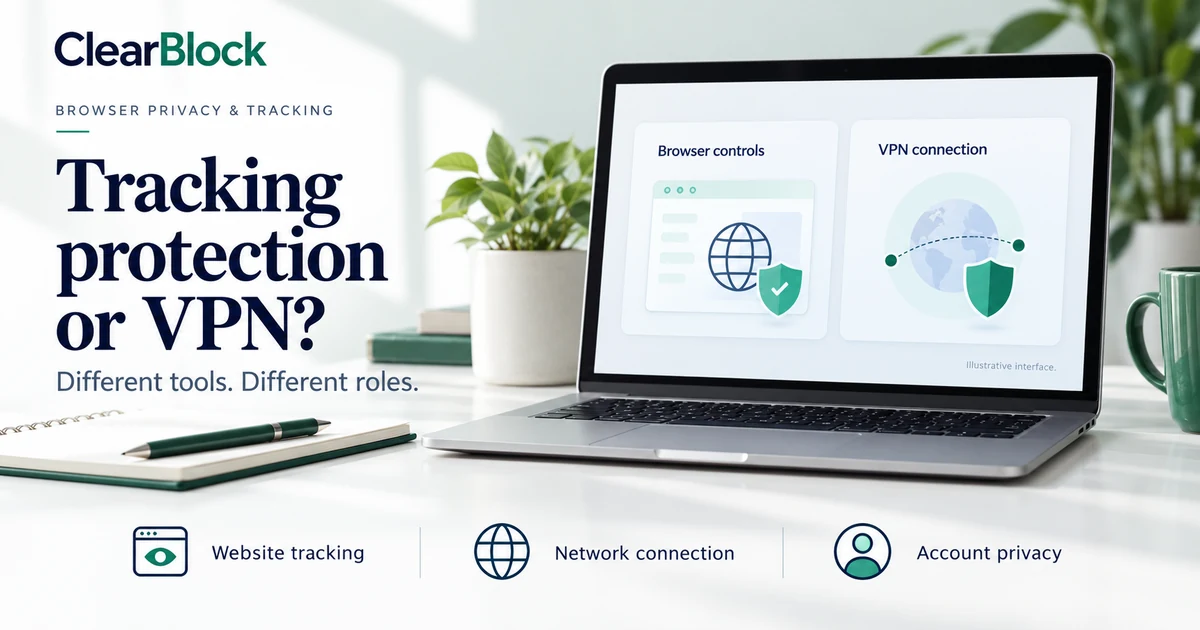
Browser tracking protection and a VPN address different privacy questions. Tracking protection can limit supported ways that websites and embedded services follow browsing activity. A VPN changes how covered traffic reaches the internet, typically routing it through an encrypted connection to a VPN server. Neither should be treated as a guarantee of anonymous browsing.
If your question is whether you need one, the other or both, start with what you want to protect. This guide explains their roles using ordinary browsing examples, highlights the limits of each and gives you a practical way to review your setup without collecting unnecessary tools.
The short answer: they are different layers
Tracking protection operates around browser activity, such as access to particular storage or requests associated with recognised trackers, depending on the implementation. A VPN operates around the route used by covered network traffic. A tool that changes the route does not automatically change the information a website receives from your account.
For example, a retailer can know which account you are using because you signed in. Connecting through a VPN does not make that sign-in anonymous to the retailer. A browser privacy setting may restrict some third-party activity without concealing your ordinary network address from the website you deliberately visit.
The useful question is therefore specific: do you want to reduce cross-site tracking, change network visibility, manage account preferences or remove local browsing data? Each task calls for its own controls and has its own limits.
What browser tracking protection aims to do
Browsers can provide protections against recognised tracking behaviours. The details vary by browser and configuration. Some protections restrict storage access, some limit known tracking resources, and some address particular fingerprinting techniques. Do not assume that two browsers use identical rules because both display a privacy shield.
Microsoft Edge, for example, documents Basic, Balanced and Strict tracking prevention levels. Its guidance describes different coverage and notes that stronger restrictions can affect parts of websites. That is a reason to review the relevant setting deliberately, rather than treating the strongest label as a guarantee that every site will work unchanged.
Tracking protection is also separate from simply deleting cookies after a visit. One concerns how supported activity is handled during browsing; the other removes selected stored information. Understanding the difference helps you choose an action that addresses the actual concern.
What a VPN changes
A typical consumer VPN sends covered traffic through a tunnel to the provider's server before it continues towards its destination. For that traffic, the destination generally sees the VPN server's outward-facing address rather than your usual connection address. The provider and product configuration matter to the result.
The scope needs checking. A device VPN, a browser-only proxy and an app with selective routing are not necessarily equivalent. Traffic outside the covered route is not protected by that tunnel simply because a VPN icon appears somewhere on the device.
A VPN also introduces a provider into the connection path. Review what the service says about its operation and data practices instead of interpreting the tunnel as the removal of all trust. This article compares functions; it does not rank providers or establish the trustworthiness of a particular service.
Why websites can still recognise you
Your network address is only one possible signal. A website can receive an account identifier when you sign in, recognise stored browser information or receive details you submit in a form. Changing the route does not erase those interactions.
Cookies can retain identifiers across visits. If the same browser sends a website its existing cookie, a new network address does not automatically create a new identity from that website's perspective. Read the first-party and third-party cookies guide for the basic distinction between storage contexts.
Browser characteristics can also contribute to fingerprinting. A VPN is not a general instruction to change every characteristic that a page can observe. For a fuller explanation, see what browser fingerprinting means. Avoid judging privacy solely by whether an IP address check shows a different location.
Example: shopping while signed in
Imagine you open a shop through a VPN and sign into your usual account. The shop can connect your basket and purchase to that account because you intentionally authenticated. The VPN's network role does not prevent the shop from providing the account functions you requested.
Browser tracking controls may still influence supported third-party activity embedded on the page. Your account's marketing preferences are another separate area to review. Neither a changed address nor a blocked tracker total establishes that those preferences were updated.
A practical approach is to use the account settings for account choices, the website's privacy controls for consent and browser protections for supported browser behaviour. That keeps the action tied to the outcome you want instead of expecting one switch to perform all three jobs.
Example: reading a public article
On a public article, your concern might be embedded advertising and cross-site tracking rather than an account. Browser protections and an ad or tracker blocker can be relevant to matching requests and storage behaviour. A VPN can change the route for covered traffic while leaving the page's advertising content present.
If advertisements disappear after connecting to a service, check whether that product includes a separate filtering feature. The tunnel itself and a provider's optional ad filtering are different functions, even when the app bundles them together.
Likewise, fewer visible advertisements do not prove that all tracking has stopped. Some tracking is not visible, and some advertising is not personalised. See ad blocking versus tracker blocking for that distinction.
Example: using a shared network
A network privacy concern asks a different question from an advertising concern. You may want to understand what is protected between your device and a VPN endpoint, which traffic is included and what the network operator can still observe about your connection.
HTTPS remains important because it protects the connection to the website, separately from a VPN tunnel. A VPN is not a reason to ignore certificate warnings or enter credentials into an unfamiliar page. It does not establish that the website at the other end is trustworthy.
Use the service's documentation to confirm coverage rather than assuming every app follows the same route. If the device is managed by an employer or school, follow its network requirements and ask the administrator about approved tools instead of changing a managed setup blindly.
Private browsing is another separate control
A private browsing window is designed around a separate browsing session and how certain local data is retained. It is not automatically a VPN and does not guarantee anonymity from websites. Its exact behaviour and extension availability depend on the browser.
Signing into an account in a private window still tells that service which account you are using. A VPN connection does not cancel that sign-in. Combining tools can address different concerns, but their limits do not disappear just because several privacy-related icons are visible.
Read what private browsing hides before using it as a substitute for network or tracking controls. Name the intended purpose first, then choose the relevant setting.
Build a practical privacy checklist
- Define your concern: distinguish cross-site tracking, local history, account data and network visibility.
- Review browser controls: understand the current tracking and cookie settings before adding another tool.
- Check account choices: review the service's marketing and privacy preferences where relevant.
- Confirm any VPN scope: identify whether it covers the browser, selected apps or the device's intended traffic.
- Review filtering separately: note whether ad or tracker filtering comes from the browser, an extension or another service.
- Test useful functions: check requested media, navigation and sign-in after a meaningful change.
- Keep exceptions intentional: record temporary allowances and remove them when the test ends.
This checklist is a way to understand a configuration, not a scoring system. A larger collection of tools does not automatically produce a better result. Overlapping features can make it harder to identify which control affects a website.
When a website behaves differently
Change one relevant setting at a time and repeat the same harmless action. If a website fails only through a particular VPN route, that is a different observation from a feature failing only with a browser filter enabled. Report the actual comparison without assuming the underlying cause.
Save work before reloading or changing routes. Avoid repeatedly submitting purchases, login attempts or important forms as a test. A public page can often demonstrate the issue without introducing account complications.
If you temporarily allow a website in a privacy tool, restore the intended setting afterwards. Do not weaken every control at once simply to make a page load; that removes the information needed to understand which change helped.
Where ClearBlock fits
ClearBlock is an ad blocking extension with optional tools for additional supported behaviours. It should not be described as a VPN or a replacement for account privacy controls. Its optional Extra Tracking Filters setting applies another filtering layer rather than routing your connection through a VPN server.
If you use it alongside browser protections, review the controls separately. A page may still be filtered by one tool when another is paused. Consult the Extra Tracking Filters guide for a focused way to compare that option.
ClearBlock counters are also not proof of anonymity or complete tracking prevention. Use them for their intended recorded activity, and use the appropriate browser, website or network controls for the other privacy tasks described here.
Frequently asked questions
Does a VPN stop cookies?
The network tunnel alone does not delete existing browser cookies or replace cookie controls. A particular product may bundle separate filtering features, so check which function is responsible.
Does tracking protection hide my IP address?
Do not assume it does. Ordinary tracking prevention and connection routing are different functions. Check the specific browser feature if it also offers a proxy or VPN service.
Can I use both?
They can serve different purposes, but compatibility and coverage depend on the products. Start with a clear goal and test important website functions after changes.
Will either erase information already collected?
Neither should be treated as a general deletion request to organisations. Use the relevant account or privacy process for information held by a service.
Sources and related guides
See Microsoft's tracking prevention guidance, MDN's web privacy overview and Mozilla's Firefox privacy notice for further context. Explore more Browser Privacy & Tracking guides for practical explanations.