
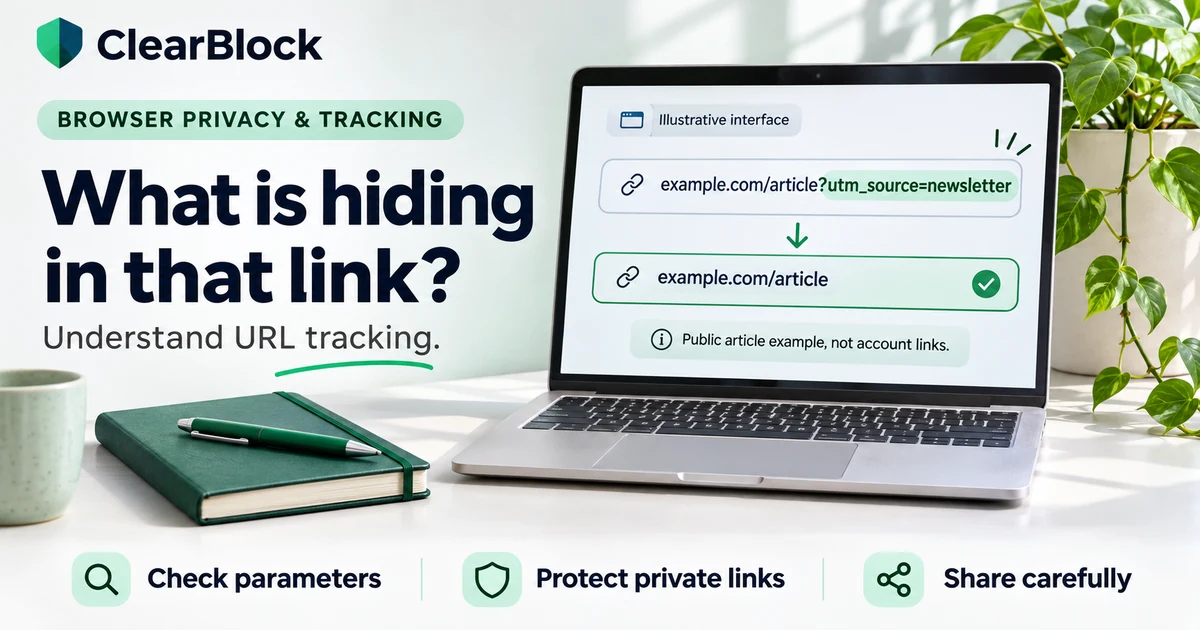
A link can contain more than a website address and page name. The extra text after a question mark can describe a marketing campaign, select a product option or carry information associated with a particular recipient. Some of those details are useful; others may reveal more than you intend when you share the link.
This guide explains tracking links in plain language and shows how to handle public article URLs carefully. The main rule is simple: do not delete every parameter automatically. Account recovery, sign-in, payment and private document links need different treatment from an ordinary public page.
What is a tracking link?
A tracking link is an address arranged to help record or associate a visit with information about its source, campaign or recipient. That information may be written directly into the address or collected through an intermediate redirect before the destination loads.
A newsletter might use one shared campaign label for everyone who receives it. Another system might give each recipient a different identifier. These are different levels of detail, even though both links can look long and complicated. The presence of tracking does not by itself establish that a link is malicious.
Start by separating two questions: is the destination trustworthy, and what information does the link communicate? A legitimate publisher can use campaign tags. An unsafe page can have a short, tidy address. Length alone does not answer either question.
Read the basic parts of a URL
In the illustrative address https://example.com/article?utm_source=newsletter, the hostname is example.com and the path is /article. The question mark introduces a query string. Here it contains a parameter named utm_source with the value newsletter.
More than one query parameter is commonly separated by an ampersand. A link can therefore combine a page selection with a campaign label. Do not assume everything after the first question mark serves one purpose, or that the entire section can be removed without changing the result.
A fragment begins with a hash character. It may point to a section or participate in a web application's navigation. It is not automatically tracking clutter either. The site's design determines what an address component means.
What common UTM labels mean
Google's Analytics documentation describes UTM parameters as campaign labels used to identify traffic sources. Names such as utm_source, utm_medium and utm_campaign commonly describe where a visit came from and which promotion it belongs to.
For example, a public article may carry labels indicating that it was linked from a newsletter rather than a social post. That can help a publisher understand which promotion led readers to its work. Those names do not inherently mean the value contains your identity.
However, you should still inspect the actual address before forwarding it. Parameter values can be chosen by the sender, and unfamiliar fields may have purposes you cannot reliably infer. Recognising a familiar name is useful context, not a complete privacy audit.
Campaign labels and personal identifiers differ
A label shared across an entire campaign does not convey the same information as a recipient-specific identifier. A link might contain a readable email address, an account reference or an opaque value that only the service can interpret. You cannot determine all of that from appearance alone.
If a URL includes your email address or an obvious account reference, avoid posting it publicly. For an ordinary article, look for the publisher's public page address or share function instead. For a private workflow, use the service's intended sharing mechanism rather than improvising a cleaned version.
Do not paste sensitive URLs into a public forum or an unfamiliar link-cleaning website to ask whether they are safe. The act of submitting the full address can disclose the very information you are trying to protect.
How redirects change the picture
Some email links first visit a mailing service or tracking host, then redirect to the article. The address visible after arrival may therefore differ from the original link. A tidy final address does not establish that no information was collected on the way.
Removing parameters after arrival cannot undo a request already made. It can still be useful when preparing a public link for someone else, but that is a sharing decision rather than a retroactive deletion of an earlier interaction.
A shortened link can also hide the destination until it is resolved. Do not follow an unexpected financial or account link simply because it looks compact. When the message is suspicious, visit the service independently through its known website or app.
A careful way to share a public article
- Confirm that the page is public content, rather than an account, payment or private document workflow.
- Check the hostname and make sure it is the publisher you intended.
- Use the publisher's normal share or copy-link option when appropriate.
- Inspect the copied address for obvious personal information and unnecessary campaign labels.
- If you remove known campaign-only labels, keep the original privately until you have checked the edited link.
- Confirm that the edited address still opens the intended public content before sending it.
This is a cautious workflow, not a recommendation to edit every link. If you cannot tell whether a parameter selects the content or authorises access, leave it alone and obtain a public sharing address from the service.
Example: remove a campaign label, keep a product choice
Consider the illustrative address https://example.com/product?colour=green&utm_source=newsletter. The colour parameter may select the green version of a product, while the UTM parameter labels the marketing source. Removing both could lose the specific option you intended to share.
For a public product page where you understand those roles, a candidate address could retain ?colour=green and omit the campaign label. Check the result before sharing it. The example does not establish that a real shop uses these parameter names or accepts that exact form.
Affiliate and referral links are another distinct case: their identifiers can affect attribution or an offered benefit. Understand the purpose before changing them, and do not assume every referral field is a recipient identifier.
Links you should not casually edit
Password resets, email verification, invitation acceptance and one-time sign-in links may rely on a token. That token is not harmless clutter. Removing it can break the process, while forwarding it can expose access to someone else.
Payment sessions, signed downloads and private file links may also depend on address components. Keep them private and use the service's intended process. If you want to share the underlying document, create an authorised sharing link with the appropriate permissions.
Search, language, pagination and product selection parameters can be essential to the requested page. A shorter URL is not automatically more correct. Prefer a working, appropriate link over an aggressively shortened one that changes what the recipient sees.
Browser link-cleaning features have limits
Some browsers include features that remove recognised tracking parameters. Mozilla's technical documentation describes query stripping based on known parameter lists. This illustrates why a dedicated feature can distinguish selected tracking fields rather than simply deleting the entire query string.
Availability and behaviour vary by browser, version and context. Check your browser's current documentation instead of assuming a feature exists because another browser offers something similar. Review the result when a link needs to preserve a specific page state.
These features do not establish that every identifier has been removed or that the destination cannot recognise you. Cookies, account sign-in and other browser signals remain separate. Read the browser fingerprinting guide for one example beyond URL parameters.
What ad blockers and VPNs do not automatically solve
A matching network filter may stop a particular tracking request, but that does not mean it rewrites every link you copy. Do not describe an extension as a universal link cleaner unless that specific functionality is documented and available.
ClearBlock provides ad blocking and optional controls for supported behaviours. This guide does not claim that it removes every URL parameter, protects every private sharing link or reverses an email click already recorded. Review each tool according to its actual function.
A VPN is also a different layer. Changing the network route does not remove a recipient token from the URL you submit. See tracking protection versus a VPN for a plain-language comparison.
Handle suspicious email links separately
If an unexpected message asks you to sign in, verify a payment or repair an account, do not treat parameter removal as a way to make it trustworthy. Open the service independently and check the relevant account area. Cleaning a deceptive address does not authenticate the sender.
Similarly, do not download a browser update from a link merely because its tracking labels were removed. The destination and requested action still matter. Read the fake browser update guide for that situation.
If you need help with a message, describe the concern without publishing recovery links or account tokens. A cropped screenshot of the wording can be more appropriate than forwarding an active private link into a public discussion.
Build a realistic link-sharing habit
Review links when you share them, especially those copied from personalised emails or account pages. Use public addresses for public content and permission-aware sharing for private material. This habit is more reliable than assuming that a short address is safe.
Keep the scope of each action clear. Editing a public article link may reduce the campaign information sent by the next visitor, but it does not delete past records or make browsing anonymous. Account preferences and cookie choices need their own controls.
For related guidance, see first-party versus third-party cookies and changing an earlier cookie choice. A practical privacy setup treats these as connected but distinct tasks.
Frequently asked questions
Is every long link a tracking link?
No. Length can come from search options, document access or other functional information. Look at purpose and context rather than length alone.
Can I delete everything after the question mark?
Not safely as a general rule. It can remove necessary content selection or access information. Use a public share link when uncertain.
Does removing UTM labels erase a previous click?
No. Editing an address does not undo information already received by a service. It changes only the address used for a later request or share.
Sources and further reading
Consult Google's campaign URL documentation, MDN's privacy overview and Mozilla's query stripping documentation. Explore more Browser Privacy & Tracking guides for practical explanations.