
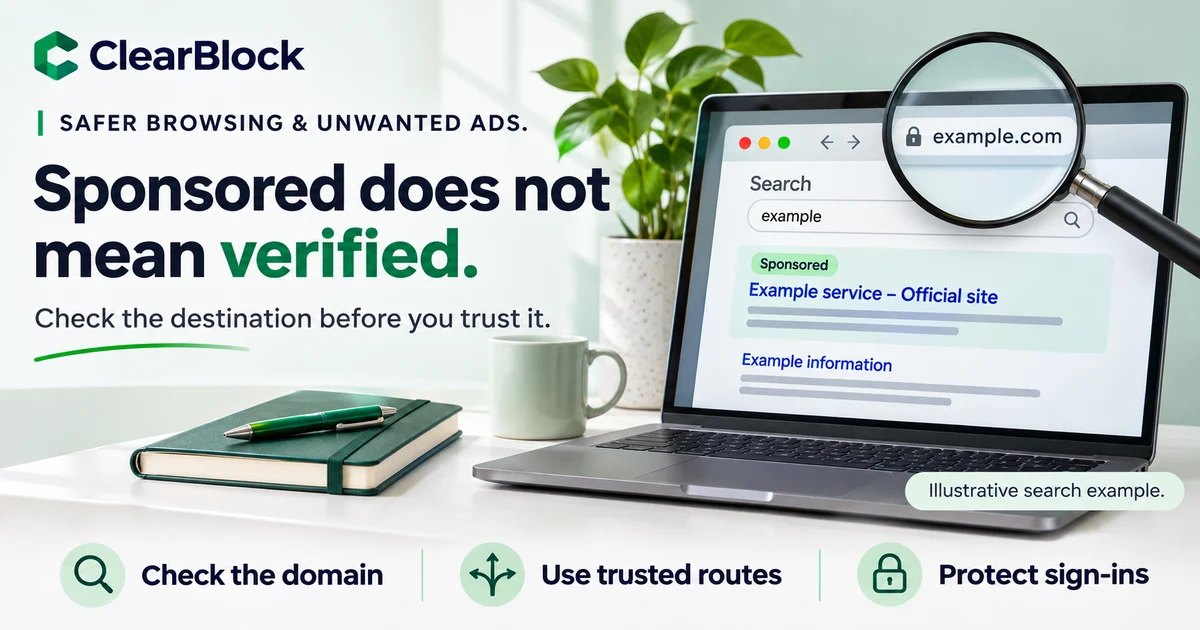
A sponsored search result is an advertisement, not a guarantee that the destination is the organisation you intended to visit. Legitimate businesses advertise, but criminals can also imitate brands in search ads. Before signing in, downloading software or calling support, check the destination through a trusted route.
This guide explains the practical warning signs and what to do if you already clicked or shared information. It does not assume every paid result is unsafe or every unpaid result is trustworthy. The useful habit is to verify the service and requested action rather than relying on position in a search page.
Why search results can be a convincing starting point
People often search for a bank, software product or support number instead of entering its address directly. That creates a moment where a familiar name and a prominent result can feel sufficient. A misleading advertiser tries to turn that familiarity into a click.
The FBI has warned about criminals using search advertising to impersonate brands and direct visitors to malicious destinations. Its guidance also highlights trusted bookmarks for login pages. These warnings describe a real route for deception, not a claim that every search result has the same risk.
Slow down when the next step is sensitive. A search for a public recipe and a search leading to a payroll login deserve different attention because the consequences of entering information differ.
What the sponsored label tells you
A label such as Sponsored or Ad indicates a paid placement within that platform's presentation. It should not be interpreted as an endorsement of every claim on the destination page, or proof that the site represents the brand mentioned in its headline.
The headline, description and displayed address each provide context, but the page you reach still needs checking. A convincing phrase such as Official support is only a claim until you verify the service independently.
Do not simply skip ads and assume the next result is safe. Unpaid results can also lead to unsuitable or deceptive pages. Apply the same destination checks before sensitive actions regardless of where the result appears.
Check the hostname before trusting the page
Read the actual address in the browser after navigation. A familiar brand word inside a longer address is not enough. The brand may appear in a path, a subdomain or a misleading variation rather than in the organisation's genuine hostname.
For illustration, a service name in a page path does not make the host belong to that service. Avoid trying to memorise every possible deceptive spelling. If you are uncertain, stop and use the organisation's known app, established bookmark or independently verified address.
HTTPS is useful connection protection, but it does not authenticate a site's business claims. A deceptive page can have an encrypted connection too. Do not treat a connection icon as a substitute for checking who operates the destination.
Use trusted routes for important sign-ins
For a bank, workplace account or regularly used service, an established official app or a bookmark you previously verified can avoid the need to choose a result every time. Make sure the bookmark was created from the genuine service, rather than saving a page you have not checked.
If your employer supplies a portal, use the route provided through its normal internal process. An unexpected search result asking for work credentials should not replace that process merely because it uses the company's name.
A password manager can help you notice that the destination differs from a saved login, but it is not a complete authenticity test. Do not force credentials into an unfamiliar page just because automatic filling did not happen.
Be careful with software downloads
A search for a popular utility can lead to an imitation download page. The page may use familiar artwork and offer a prominent installer while obscuring who supplies it. The FTC has warned about bogus software advertisements that lead to malicious downloads.
Use the developer's official distribution route or an appropriate trusted app store. Check that the product and publisher match your intention before downloading. An unexpected request to disable protection or install a different helper is a reason to stop.
Read how to spot fake download buttons and the fake browser update guide for related situations. A polished download page is not evidence that an installer is safe.
Do not trust a support number because it ranks highly
When you need customer support, obtain the contact route from the genuine organisation's app, account area, product documentation or another established official source. A phone number displayed in a prominent result can still belong to an impersonator.
Be cautious if the person asks for remote access, a full password, a one-time code or an unusual payment to fix an ordinary account problem. An unexpected instruction should be checked through an independent route, even if you initiated the call.
Do not let urgency turn the first number you find into the only route you consider. End the interaction if necessary and verify the organisation before continuing. A real support task can wait while you confirm who you are speaking to.
Recognise suspicious landing-page behaviour
- A login appears on an address you do not recognise.
- A download starts before you deliberately choose the expected file.
- The page demands that browser or device protection be disabled.
- A support agent requests remote access or account codes unexpectedly.
- A verification step asks you to paste and execute text in a system tool.
- A payment request has no clear relationship to the task you intended.
These observations are reasons to pause, not invitations to investigate by following the instructions further. For command-based verification traps, see the ClickFix guide.
If you clicked but did nothing else
Close the page and reach the intended service independently. Merely seeing a suspicious page does not prove that the device is infected, but avoid continuing simply because nothing obviously happened.
Check whether a file downloaded or a browser permission was granted. Those are separate events from entering a password. Use the browser's own controls rather than a repair button offered by the suspicious page.
If you need to report the advertisement, use the platform's reporting mechanism or official reporting guidance. You do not need to revisit the destination to obtain a better demonstration of its behaviour.
If you entered credentials
Open the real service through a trusted route and change the affected password. Change it anywhere else you reused it. Review active sessions and security settings, and enable available multifactor authentication.
If you submitted a one-time code or approved an unexpected authentication prompt, tell the service's official support. That detail can matter even if you subsequently changed the password. On a work account, notify the IT or security team promptly.
Use a separate trusted device for sensitive recovery if software also ran or you suspect device compromise. Describe exactly what you entered and approved rather than assuming the incident involved only a visit.
If you paid or installed something
Contact the bank or payment provider through a known official channel if financial information or money was involved. Explain the transaction and follow its protection advice. Do not pay a second fee to an unexpected caller claiming to recover the first payment.
If you ran an unfamiliar installer or granted remote access, stop the interaction and seek trusted security help. If compromise is suspected, disconnect the affected device from the network while arranging assistance. Use established security tools rather than a scanner promoted by the same page.
Preserve relevant messages and transaction references without publicly sharing credentials or recovery links. A click, download, execution and payment are different actions; a clear sequence helps the appropriate responder choose next steps.
Where ad blocking fits
Ad blocking can reduce exposure to advertisements covered by the installed rules, but it does not authenticate every remaining search result. Filtering can vary by product, platform and configuration. No absence of a warning establishes that a destination is genuine.
ClearBlock provides core ad blocking and optional controls for supported behaviours. It is not presented as a guarantee against every misleading result, a download scanner or an account recovery service. Continue checking the hostname and requested action while using it.
If a result remains visible, judge it on its destination rather than assuming the extension approved it. A filter decision and a business authenticity check are different things.
Report the advertisement safely
Search platforms provide reporting routes for suspicious advertisements. Google's help explains how to report an ad, and the UK ASA provides a form for online scam ads in paid-for spaces. Use those official routes instead of contacting a supposed advertiser through the suspicious landing page.
Include the search term, approximate time and relevant advertisement details where available. If you already have a screenshot, remove personal information and unrelated tabs before sharing it. Do not include active password reset or payment session links in a public report.
Reporting the ad does not replace contacting your bank, account provider or workplace security team when the incident involved those services. Each action has a different purpose.
A practical search-to-sign-in checklist
- Identify whether the result is paid, without treating that label as a safety verdict.
- Check the actual destination hostname after navigation.
- Use a verified app or bookmark for important recurring sign-ins.
- Download software only through the intended trusted distribution route.
- Obtain support contacts from the genuine service.
- Stop when the requested action becomes unexpected or sensitive.
The checklist is deliberately short. You do not need to become a security investigator to decide not to submit credentials to an unfamiliar page. Independent verification is often the most useful next step.
Frequently asked questions
Are all sponsored results scams?
No. Legitimate businesses advertise. Paid placement simply should not be treated as proof that a destination or claim is trustworthy.
Are unpaid results always safe?
No. Check the destination and requested action before sensitive tasks regardless of ranking.
Does HTTPS prove the page is official?
No. It protects the connection but does not establish that the operator represents the organisation named on the page.
Official guidance and further reading
Read the FBI's search-ad impersonation warning, the FTC's software-ad warning and Google's ad reporting instructions. Explore more Safer Browsing & Unwanted Ads guides.